Past event — This event ended 29 days ago.
Digital Cutting Machine Starter Session @ Woodlands Library | MakeIT
About the event
About the Event
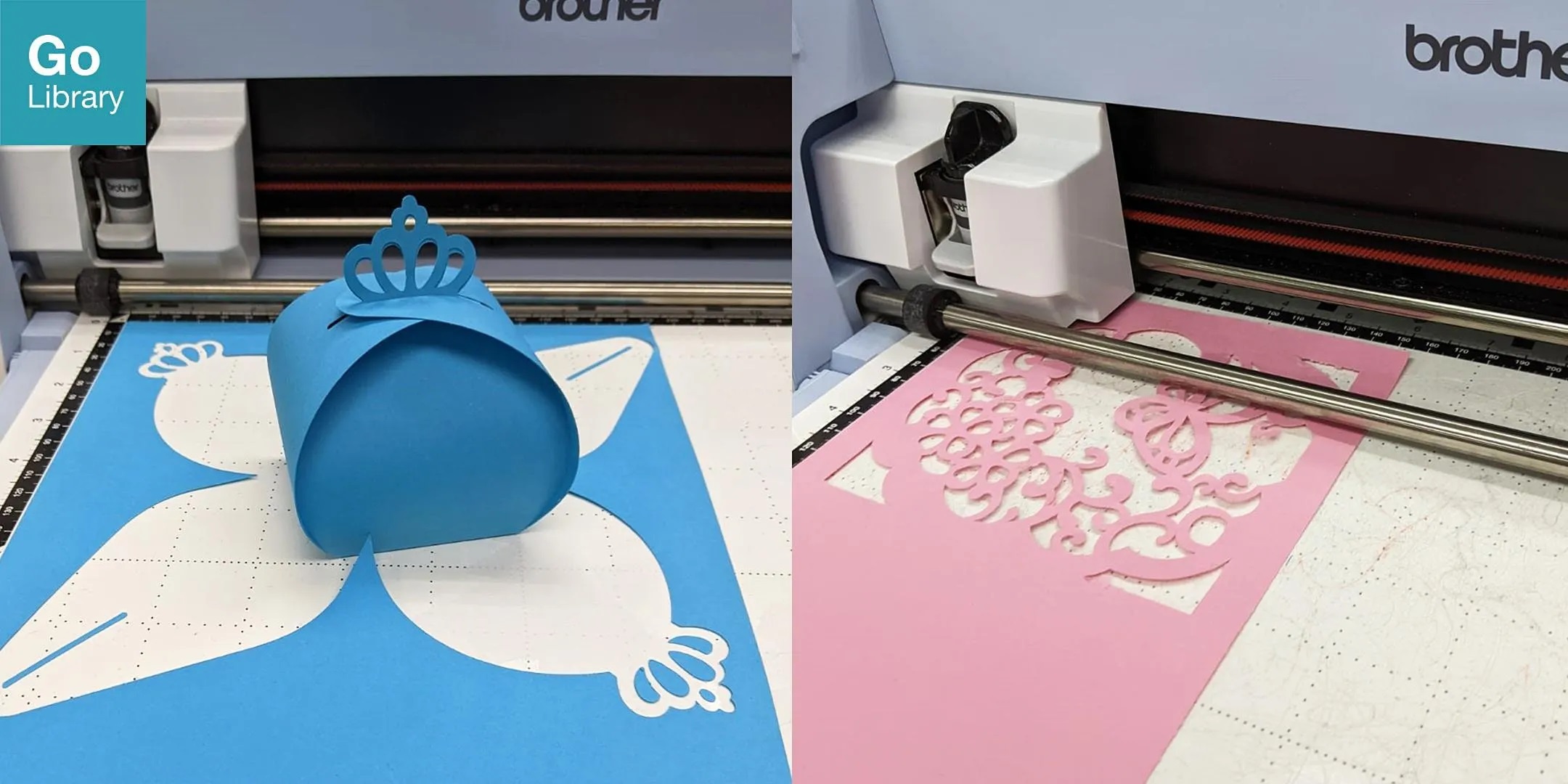
Join us for a fun and hands-on session at MakeIT with our ScanNCut digital cutting machines*. The ScanNCut is a crafter’s dream. It allows you to cut intricate patterns and shapes from materials such as paper, foam, and vinyl for your own custom projects.
*A Digital Cutting Machine is a printer-like machine that can make precise cut-outs on a variety of sheet material. At MakeIT, we use the Brother SDX1200 ScanNCut, which is a Digital Cutting Machine that is safe and easy to use.
This workshop will teach you how to:
• Use different types of materials and mounting methods when using a digital cutter.
• Use the ScanNCut’s scanning and cutting features to transfer designs from paper to other materials.
• Create a basic folding box and bookmark using the ScanNCut’s pre-installed templates.
• Import images into the manufacturer's CanvasWorkspace software to do cutting for custom projects.
This session is suitable for beginners.
This programme is suitable for participants aged 13 and above.
Registration and Attendance
• Registration is required for this programme. Please register one ticket per person.
• Attendance will be taken using the NLB Mobile app. Please download the app ( https://go.gov.sg/nlbmobile-attendance ) or update it to the latest version. Then, scan the QR code at the venue to take your attendance upon entry.
• Please arrive 10 minutes before the session starts. Seats may be released to walk-in participants if you arrive late.
• Please note that you will need to scan a QR code to check yourself in for the programme. To facilitate this process, you are required to update your NLB Mobile app to the latest version and ensure you are logged in with your myLibrary username. For participants attending the session with their child, you are encouraged to log into your child's profile on the app before attending the programme to expedite the check-in process.
Photography and Videography Notice
Please note that photos and/or videos…