Past event — This event ended 17 days ago.
Laser Cutting Starter Session @ Jurong Library | MakeIT
About the event
About the Event
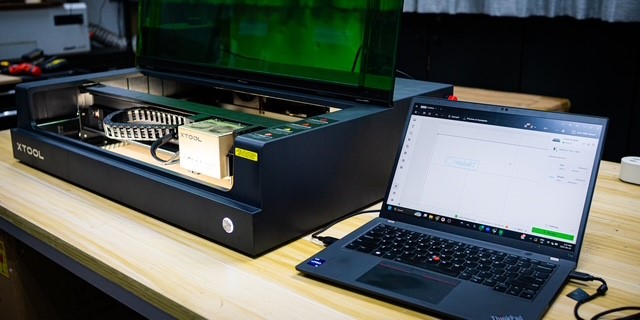
Begin your laser cutting journey with this introductory, hands-on learning session that teaches you how to use our laser cutters at MakeIT. Laser Cutters enable makers to shape and cut flat materials such as wood into intricate designs, using software tools to do so.
IMPORTANT: This session is compulsory to attend if you would like to reserve and use the Laser Cutters at MakeIT.
This workshop will teach you how to:
• Identify what digital cutting is and how laser cutting can be used to build projects.
• Identify the components of the xTool S1 Laser Cutter and the materials usable by it.
• Understand the safety features and potential hazards of the xTool S1 and how to operate it safely.
• Create two simple projects using Inkscape and export those designs to be cut by the xTool S1.
This session is suitable for beginners. You are encouraged to signup for a TinkerCAD account before attending the session: https://www.tinkercad.com/join
. This programme is suitable for participants aged 13 and above.
Registration and Attendance
• Registration is required for this programme. Please register one ticket per person.
• Attendance will be taken using the NLB Mobile app. Please download the app ( https://go.gov.sg/nlbmobile-attendance ) or update it to the latest version. Then, scan the QR code at the venue to take your attendance upon entry.
• Please arrive 10 minutes before the session starts. Seats may be released to walk-in participants if you arrive late.
• Please note that you will need to scan a QR code to check yourself in for the programme. To facilitate this process, you are required to update your NLB Mobile app to the latest version and ensure you are logged in with your myLibrary username. For participants attending the session with their child, you are encouraged to log into your child's profile on the app before attending the programme to expedite the check-in process.
Photography and Videography Notice
Please note that photos…